Provide Necessary Permission
When you select fitze Steps Tracker as your step source, a pop-up requesting access to Motion & Fitness Activity will appear.
Tap on Allow to grant the required permission, as shown below –
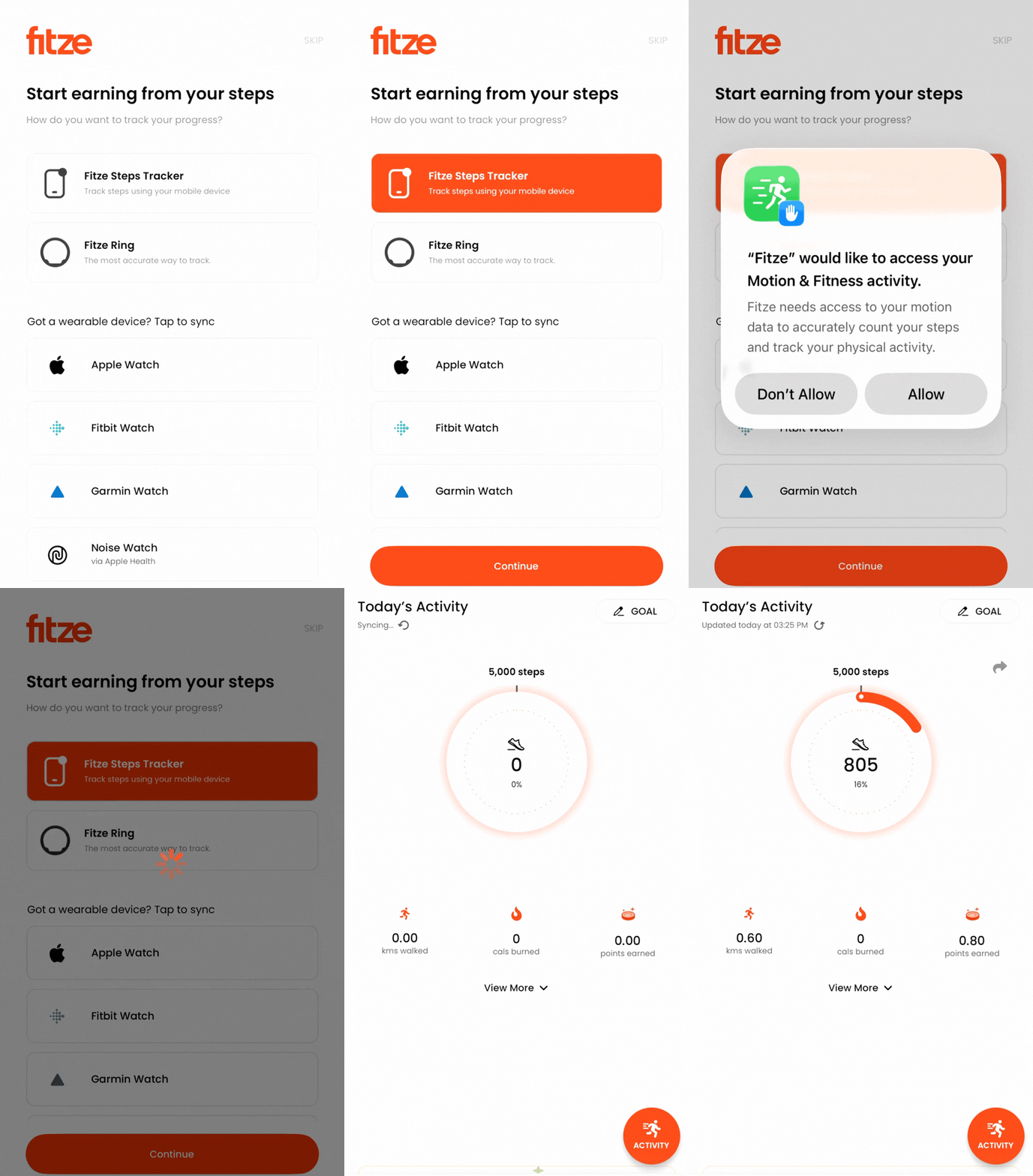
Connected successfully!
Once permissions are enabled, your steps should start syncing automatically.
Facing issues tap on “Support” at the top right of this screen.