Provide Necessary Permission
When you select fitze Steps Tracker as your Step Source, you will be requested to allow fitze to access your Physical Activity data and Disable Battery Optimisation for the app.
Allow both permissions to ensure Fitze tracks your steps accurately in the background.
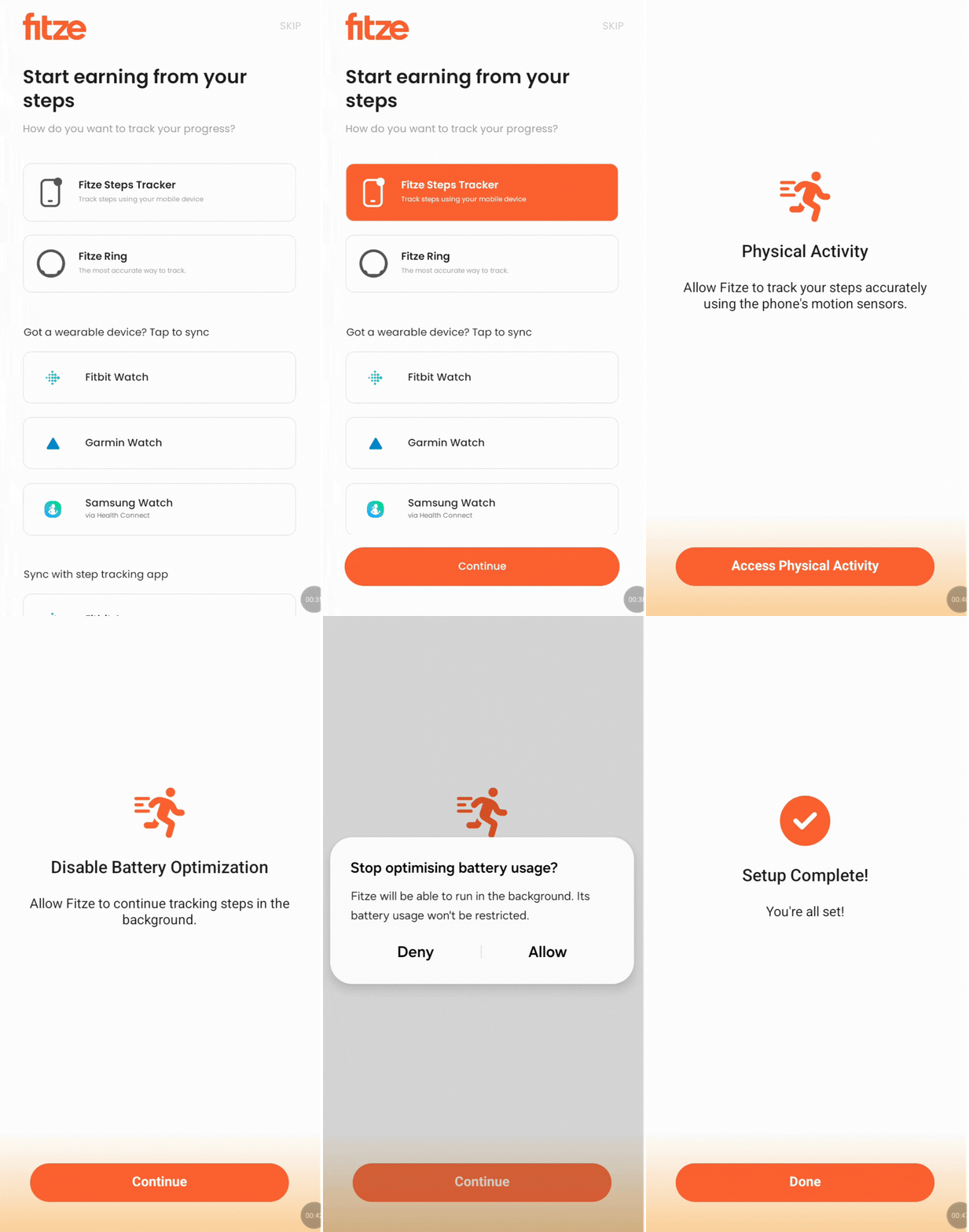
Connected successfully!
Once all the permissions have been granted, you’re all set! Your steps should start syncing immediately.
Facing issues tap on “Support” at the top right of this screen.